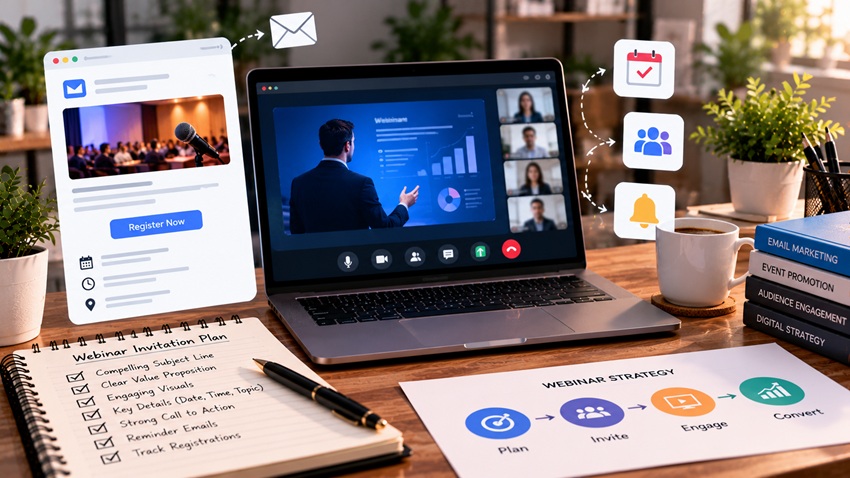
A compelling webinar invitation makes the value obvious in seconds: a specific, outcome-focused title, a subject line that promises a clear benefit, three to five takeaways attendees will gain, credible speakers, the date and time with time zone, and one clear registration button. The best results come from a sequence — an announcement, reminders, and last-chance emails before the event, plus confirmations and day-of reminders after people register — because registrations and attendance are separate goals. Here's how to write, time, and sequence webinar invitations that fill seats and get people to show up.
Start With a Webinar Worth Attending
No invitation can rescue a vague topic. Strong webinars promise a specific outcome for a specific audience:
- Weak: "Digital Marketing Trends"
- Strong: "How Local Service Businesses Can Get 30% More Leads From Google in 90 Days"
- Weak: "Product Overview"
- Strong: "Live Demo: Automating Appointment Reminders to Cut No-Shows"
Ask: who is this for, what problem does it solve, and what will attendees be able to do afterward?
The Anatomy of a High-Converting Invitation Email
| Element | What to Include | Example |
|---|---|---|
| Subject line | Clear benefit, topic, or curiosity | "Live: cut no-shows with automated reminders" |
| Preheader | Date plus a reason to open | "Thursday at 2 PM ET — 45 minutes, live Q&A" |
| Headline | Webinar title focused on outcome | "Get 30% More Leads From Google in 90 Days" |
| Opening line | The problem the audience feels | "Most local businesses rank but don't convert…" |
| Takeaways | 3–5 specific bullets | "The 5 Google Business Profile fixes that drive calls" |
| Speakers | Name, title, photo, credibility | Real experience, results, or credentials |
| Logistics | Date, time with time zone, duration, format | "Thu, Nov 12 · 2:00 PM ET · 45 min" |
| CTA | One clear button | "Save my seat" |
| Extras | Replay availability, bonus resources | "Can't attend? Register for the replay." |
Writing Subject Lines That Drive Registrations
Webinar subject lines should communicate value instantly:
- Benefit-led: "Learn the email flows that recover abandoned carts"
- Invitation-style: "You're invited: live SEO audit walkthrough"
- Curiosity: "The Google Business Profile mistake costing you calls"
- Urgency: "Tomorrow: last chance to save your seat"
- Social proof: "Join 300+ marketers for this live training"
- Personalized: "[First name], a 45-minute plan for Q1 growth"
Test subject lines on a segment before sending to the full list. More formulas are in 10 subject line hacks to boost your open rates.
Writing the Body Copy
Keep invitations scannable and benefit-driven:
- Lead with the problem or outcome, not your company
- Promise specific takeaways in bullets
- Show who's speaking and why they're credible
- Make logistics unmissable: date, time, time zone, duration
- Use one CTA, repeated as a button and a text link
- Reduce risk: "Can't make it live? Register and we'll send the replay."
Copy techniques are covered in top copywriting tips for email marketing and button wording in writing compelling CTAs for email campaigns.
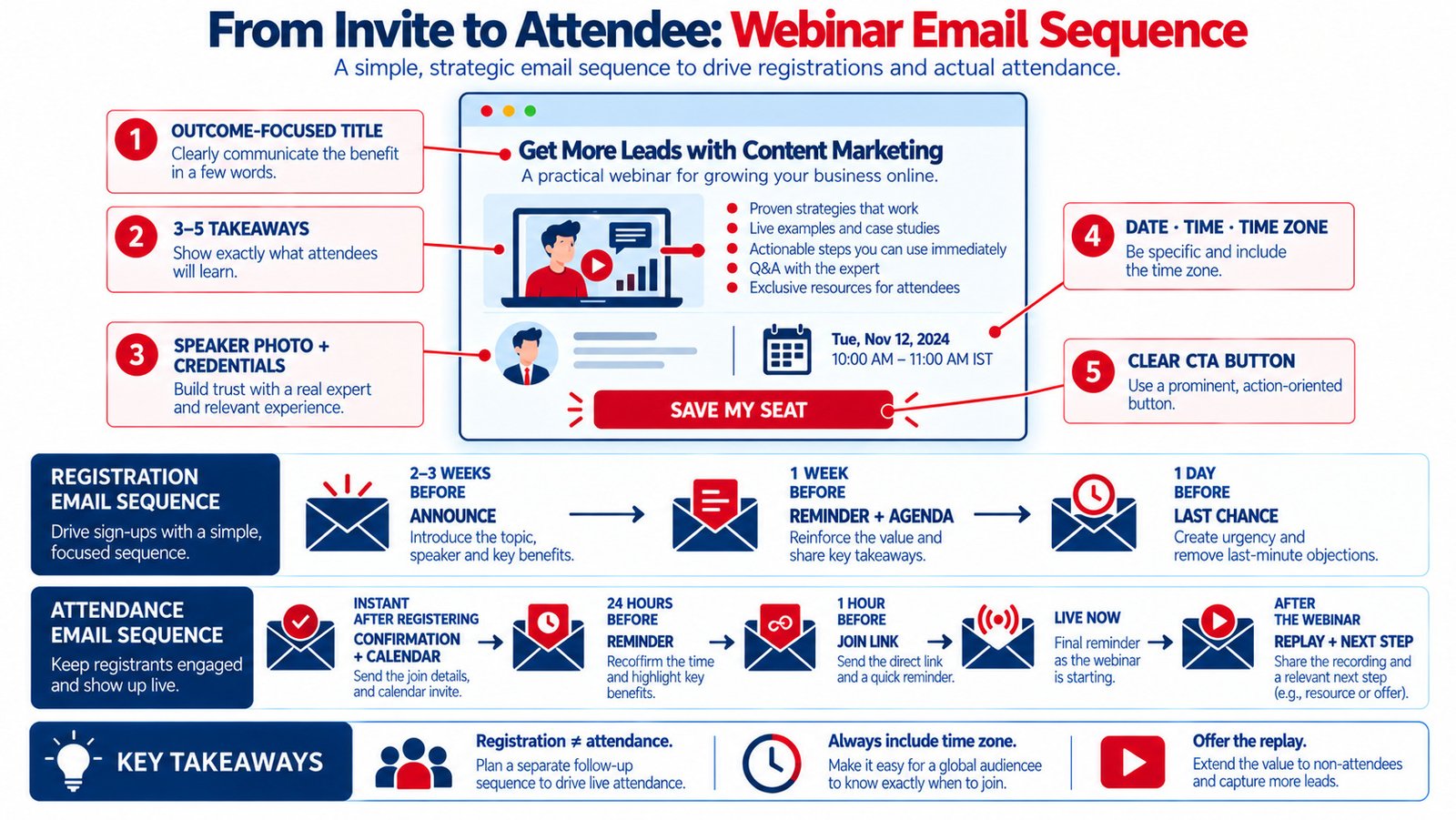
The Webinar Email Sequence
Before Registration
- Announcement (2–3 weeks out): full invitation with value, speakers, and logistics
- Reminder (about 1 week out): new angle — agenda, speaker spotlight, or a specific takeaway
- Last chance (1 day before or the morning of): short, urgent message
Resend to non-openers with a new subject line to extend reach. Send only to subscribers who haven't registered yet.
After Registration
- Instant confirmation: what they registered for, add-to-calendar links, join details
- Reminder 24 hours before: agenda, what to prepare, join link
- Reminder 1 hour before: short message with the join link
- "We're live" email: sent as the webinar starts
- Post-webinar follow-up: replay, slides, resources, and a clear next step (consultation, trial, or offer)
- Segmented follow-ups: different messages for attendees and no-shows
Timing principles for reminders are similar to those in appointment reminder emails: best practices.
Timing and Scheduling Tips
- Choose a time zone that fits your audience, and always state it clearly
- Mid-week dates (Tuesday to Thursday) are common choices for B2B webinars
- Late morning or early afternoon in your main audience's time zone often avoids early-morning and end-of-day conflicts
- Keep sessions 30–60 minutes, including Q&A
- Promote replays for global or busy audiences
Test what works for your audience rather than relying solely on general benchmarks.
Optimize the Registration Page
The invitation's promise must carry through to the landing page:
- Same title and visuals as the email
- Short form (name, email, maybe company and role)
- Takeaways, speakers, date, time, and duration above the fold
- Social proof or past attendee feedback
- Mobile-friendly design and fast loading
- Calendar options on the confirmation page
See effective landing page optimization.
Personalize Invitations by Segment
One invitation rarely fits every subscriber. Tailor the angle for each audience:
- Existing customers: emphasize advanced tips and how to get more value from what they already use
- Prospects: focus on solving a problem they face today
- Past attendees: reference the previous session and explain what's new
- Different roles: executives care about results and ROI; practitioners care about step-by-step methods
- Industries: use examples relevant to each industry where the content applies
Dynamic content blocks let one email show different takeaways or speaker highlights by segment — see the power of dynamic content in emails.
Promote Beyond Email
Share the webinar on LinkedIn, social media, partner newsletters, website banners, email signatures, and paid ads targeted to your audience. Speakers and partners should share it with their networks too. Events strategy is covered further in hosting virtual events to engage your audience.
Webinar Email Metrics
| Metric | What It Measures | How to Improve |
|---|---|---|
| Open rate (directional) | Subject line appeal | Test benefit vs. curiosity |
| Click-through rate | Invitation persuasiveness | Sharper takeaways and CTA |
| Registration page conversion | Page effectiveness | Shorter form, message match |
| Attendance rate | Reminder effectiveness | Calendar links, timely reminders |
| Replay views | Interest from no-shows | Fast replay emails |
| Post-webinar conversions | Business impact | Clear next step and follow-up |
Key Takeaways
- Start with a specific, outcome-focused webinar topic for a defined audience.
- Invitations need a benefit-led subject line, 3–5 takeaways, credible speakers, clear logistics, and one CTA.
- Run separate sequences for registration and attendance.
- Always include time zones, calendar links, and replay options.
- Match the registration page to the invitation and measure through to post-webinar conversions.
Frequently Asked Questions
How do you write a webinar invitation email?
Lead with a benefit-focused subject line and webinar title, describe the problem it solves, list three to five specific takeaways, introduce credible speakers, include the date, time, time zone, and duration, and use one clear registration button. Mention replay availability for people who can't attend live.
When should I send webinar invitations?
Send the first invitation about two to three weeks before the event, a reminder around one week before, and a last-chance email the day before or the morning of. For registrants, send a confirmation immediately, then reminders about 24 hours and one hour before the webinar starts.
What is a good subject line for a webinar invite?
Effective subject lines state the benefit or topic clearly, such as "Live: cut no-shows with automated reminders" or "You're invited: SEO audit walkthrough." Curiosity, social proof, urgency, and personalization can also work. Test variations with your audience.
How do I increase webinar attendance?
Send an immediate confirmation with calendar links, reminders 24 hours and one hour before, and a "we're live" email at start time. Choose convenient times, keep sessions focused, deliver valuable content, and offer replays so registrants still engage if they miss the live event.
Should webinar invitations mention a replay?
Yes. Offering a replay removes a common reason people skip registering — schedule conflicts. It increases registrations, allows you to follow up with no-shows, and extends the value of your content beyond the live session.
Want webinars that fill seats and generate pipeline? AiScope Digital's email marketing services handle invitation sequences, registration pages, reminders, and follow-up automation — get a free consultation today.