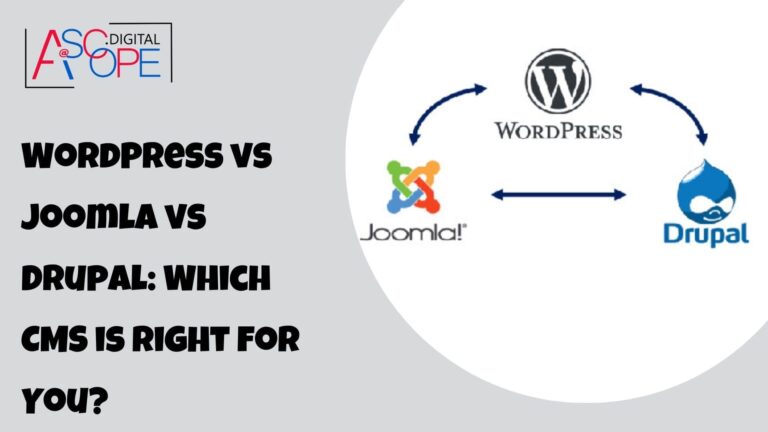
Choosing between WordPress, Joomla, and Drupal depends on your website's goals, technical requirements, budget, and long-term growth plans. WordPress is widely recognized for its ease of use and extensive plugin ecosystem, Joomla offers flexible content management and built-in multilingual capabilities, while Drupal provides advanced customization for complex digital platforms. Understanding their differences in usability, SEO, security, performance, and maintenance will help you select a content management system (CMS) that fits your business needs.
What Is a Content Management System (CMS)?
A content management system is software that allows you to create, organize, publish, and update website content without building every page from scratch. Most CMS platforms provide tools for managing pages, images, navigation, user permissions, and other essential website functions.
Businesses use CMS platforms for corporate websites, blogs, ecommerce stores, membership portals, educational resources, and large content-driven platforms. The right system can simplify publishing, support collaboration, and provide room for future development.
WordPress, Joomla, and Drupal are open-source CMS platforms, meaning their core software can be used and extended under their respective licenses. However, hosting, development, premium extensions, maintenance, and other services may involve additional costs.
1. WordPress: The User-Friendly CMS
WordPress began as a blogging platform in 2003 and has evolved into a flexible CMS for a wide range of websites. Its publishing tools, themes, plugins, and large community make it an accessible option for beginners and businesses alike.
Key Features of WordPress
- Beginner-friendly interface: The dashboard and block editor help users create and manage content without extensive coding knowledge.
- Extensive theme library: Themes provide different layouts and visual styles for business websites, blogs, portfolios, and online stores.
- Plugin ecosystem: Plugins can add features such as contact forms, ecommerce functionality, analytics, caching, and SEO tools.
- Content management: Users can organize posts, pages, categories, media, and publishing schedules.
- Community support: Documentation, tutorials, forums, and professional services make it easier to find help.
Customization and Flexibility
WordPress supports customization through themes, plugins, custom post types, and developer APIs. Website owners can often add functionality without building everything from scratch, although complex requirements may still require custom development.
For example, a small business can use WordPress to publish service pages and articles, add a contact form, connect analytics, and improve search visibility. An ecommerce business can extend the platform with suitable shopping functionality.
SEO Capabilities
WordPress provides a useful foundation for search engine optimization. Users can create descriptive URLs, organize content, manage headings, and optimize images. Plugins such as Yoast SEO and All in One SEO can provide additional tools for metadata, XML sitemaps, and other SEO tasks.
However, installing an SEO plugin does not automatically make a website rank well. Content quality, technical configuration, page performance, internal linking, and user experience remain important.
Performance and Security
WordPress can support websites of different sizes when properly configured. Image optimization, caching, suitable hosting, and efficient themes can improve performance.
Because the platform has a large ecosystem of themes and plugins, website owners must select extensions carefully and keep the core software, themes, and plugins updated. Regular backups, strong authentication, access controls, and security monitoring also help protect the website.
Advantages and Disadvantages of WordPress
Advantages:
- Easy to learn and manage.
- Large selection of themes and plugins.
- Suitable for blogs, business websites, portfolios, and ecommerce stores.
- Extensive learning resources and community support.
- Can be cost-effective for small and medium-sized projects.
Disadvantages:
- Too many poorly selected plugins can complicate maintenance.
- Complex functionality may require custom development.
- Security and performance depend heavily on configuration and ongoing maintenance.
Best for: Small businesses, bloggers, marketing websites, content publishers, portfolios, and organizations seeking a flexible CMS with a relatively gentle learning curve.
2. Joomla: A Balance of Flexibility and Content Management
Joomla is an open-source CMS launched in 2005. It offers flexible content organization, granular user permissions, and built-in multilingual capabilities, making it an option for websites that need more structured content management.
Key Features of Joomla
- Advanced user management: Access Control Lists (ACLs) allow administrators to define permissions for different user groups.
- Multilingual functionality: Core features support the creation and management of multilingual websites.
- Content organization: Articles, categories, menus, and other features help structure website information.
- Extension support: Extensions can add functionality beyond the core CMS.
- Template customization: Templates and overrides provide options for controlling presentation and layout.
Customization and Flexibility
Joomla offers a balance between built-in functionality and extensibility. Its content management tools and permission system can be useful when multiple teams or user groups need different levels of access.
For example, a membership website may require registered users to access specific resources while editors manage articles and administrators control the platform. Joomla's permission features can help support these requirements.
Although many tasks can be handled through the administration interface, complex customization may require familiarity with Joomla's architecture, templates, and extensions.
SEO Capabilities
Joomla includes SEO-related settings and supports search-friendly URLs. Additional extensions can help manage metadata, redirects, and other optimization requirements.
As with any CMS, good results depend on implementation. Businesses should ensure that important pages are crawlable, titles and descriptions are relevant, internal links are useful, and duplicate URLs are handled appropriately.
Performance and Security
Joomla provides caching options and configuration features that can support website performance. Actual speed depends on hosting, extensions, templates, database efficiency, and how the website is built.
The platform also includes access-control and security-related capabilities. Administrators must still apply updates, use trusted extensions, configure permissions carefully, and maintain reliable backups.
Advantages and Disadvantages of Joomla
Advantages:
- Flexible content organization and user permissions.
- Built-in multilingual capabilities.
- Extensible architecture for different website requirements.
- Useful administrative controls for websites with multiple user roles.
Disadvantages:
- May take longer to learn than WordPress for beginners.
- Some custom requirements need technical expertise.
- Extension selection and compatibility require careful management.
Best for: Community websites, multilingual platforms, membership projects, and organizations that need structured content management and granular user permissions.
3. Drupal: A Powerful CMS for Complex Websites
Drupal is an open-source CMS first released in 2001. It is known for its flexible content architecture, extensive customization options, access controls, and capabilities for supporting complex digital experiences.
Drupal is often considered when a website requires detailed content structures, advanced integrations, multiple editorial workflows, or a high degree of control over how information is delivered.
Key Features of Drupal
- Flexible content architecture: Developers can define content types, fields, relationships, and taxonomies to suit complex requirements.
- Granular permissions: Roles and access controls help manage what different users can view or modify.
- Customizable functionality: Modules and development tools support specialized features.
- Multilingual support: Drupal provides capabilities for managing translated content and multilingual experiences.
- Integration options: APIs and architectural flexibility support connections with other business systems.
- Scalability options: With appropriate engineering and infrastructure, Drupal can support demanding content platforms.
Customization and Flexibility
Drupal is particularly useful when a website needs more than standard pages and blog posts. Developers can create sophisticated content models, editorial workflows, permission structures, and integrations.
For example, an educational organization may need separate content types for courses, departments, faculty profiles, events, and research publications. Drupal's content architecture can help manage these relationships within a structured system.
This flexibility comes with a trade-off: implementation often requires more technical planning and development than a straightforward WordPress website.
SEO Capabilities
Drupal supports SEO through its content architecture, URL configuration, and contributed modules. Tools such as Pathauto and Metatag can assist with generating search-friendly paths and managing metadata when appropriately configured.
Its flexibility can be useful for websites with extensive content relationships and advanced publishing requirements. However, SEO performance still depends on content quality, technical configuration, indexing controls, site speed, and a coherent information architecture.
Performance and Security
Drupal offers features suited to demanding websites, but performance is not automatic. Efficient database queries, caching, hosting, code quality, and appropriate infrastructure all affect how well a site performs under load.
Drupal also maintains a dedicated security team and publishes security advisories. Website owners must follow those advisories, keep core and contributed modules updated, and apply secure development practices.
Because Drupal implementations can be highly customized, maintenance may involve more planning and testing, particularly when major updates affect contributed modules or custom code.
Advantages and Disadvantages of Drupal
Advantages:
- Highly configurable content architecture.
- Detailed permissions and editorial controls.
- Suitable for complex websites and integrations.
- Strong capabilities for multilingual and structured content experiences.
- Can support demanding digital platforms with appropriate engineering.
Disadvantages:
- Steeper learning curve for nontechnical users.
- Custom development may increase initial project costs.
- Updates and maintenance can require specialist expertise.
- Simple websites may not need its full range of capabilities.
Best for: Large organizations, government and education websites, complex publishing platforms, and projects that require extensive customization, integrations, and structured content management.
4. WordPress vs Joomla vs Drupal: Feature Comparison
Each CMS has different strengths. The following table summarizes their general characteristics to help you narrow down your options.
| Feature | WordPress | Joomla | Drupal |
|---|---|---|---|
| Ease of use | Generally easiest for beginners | Moderate learning curve | Usually requires more technical knowledge |
| Customization | Extensive themes and plugins | Flexible templates and extensions | Highly configurable architecture and modules |
| Content management | Accessible publishing tools | Structured content and menu management | Advanced content modeling and workflows |
| User permissions | Standard roles, extendable as needed | Granular access control | Granular roles and permissions |
| Multilingual support | Available through core features and suitable tools | Built-in multilingual capabilities | Built-in multilingual capabilities |
| SEO | Core features and a large plugin ecosystem | Core settings and extensions | Core capabilities and contributed modules |
| Maintenance | Updates for core, themes, and plugins | Updates for core and extensions | Updates for core, modules, and custom code |
| Typical project fit | Blogs, business websites, and many online stores | Content-rich and membership-oriented sites | Complex, highly customized platforms |
These are general comparisons rather than absolute rules. All three platforms can support a range of website types when the implementation, hosting, and maintenance are appropriate.
5. Installation, Hosting, and Maintenance Requirements
The effort involved in launching a CMS depends on the platform, hosting environment, website design, required integrations, and the team's experience.
WordPress Installation and Maintenance
Many hosting providers offer simplified WordPress installation. Once installed, administrators can manage content, themes, and plugins through the dashboard.
Maintenance typically includes software updates, backups, security checks, performance monitoring, and testing after significant changes. Plugin conflicts and poorly configured themes can create problems, so updates should be handled carefully.
Joomla Installation and Maintenance
Joomla can be installed on compatible hosting environments, but administrators may need to spend more time configuring menus, permissions, extensions, and multilingual features.
Ongoing maintenance includes updating the CMS and extensions, checking compatibility, reviewing user access, and testing important functions after changes.
Drupal Installation and Maintenance
Drupal projects may require additional technical planning, particularly when they involve custom modules, complex content models, or integrations. Developer tools and deployment workflows can become important as a project grows.
Maintenance often includes dependency management, security updates, database and application backups, testing, and validation of custom functionality.
Regardless of the platform, estimate maintenance costs before choosing a CMS. A low initial setup cost can become expensive if the website requires frequent custom development or lacks a clear update process.
6. Which CMS Is More Cost-Effective?
WordPress, Joomla, and Drupal are available as open-source software, but the total cost of owning a website includes more than the CMS itself.
| Cost Factor | What to Consider |
|---|---|
| Hosting | Server resources, traffic, storage, backups, and managed hosting services. |
| Design | Free or premium themes, custom layouts, branding, and accessibility requirements. |
| Extensions | Premium plugins, Joomla extensions, Drupal modules, and third-party integrations. |
| Development | Custom features, migrations, integrations, and specialized functionality. |
| Maintenance | Updates, monitoring, troubleshooting, security, and performance optimization. |
| Training | Time and resources needed to help editors and administrators use the CMS. |
WordPress can be economical for many small and medium-sized websites because a large ecosystem of ready-made themes and plugins reduces the need to build every feature from scratch.
Joomla may offer good value when its built-in content management and access-control capabilities fit the project. Drupal can justify a higher development investment when advanced content structures, integrations, or customized workflows are essential.
There is no universally cheapest platform. Compare the total cost of building, operating, and maintaining the specific website you need rather than comparing installation costs alone.
7. How to Choose the Right CMS for Your Website
Before making a decision, identify the requirements your website must satisfy today and the capabilities it may need in the future.
Choose WordPress for Simplicity and Versatility
WordPress is often the most practical starting point for small business websites, personal blogs, portfolios, marketing sites, and many ecommerce projects. It is especially attractive when content creators need to publish frequently without relying on developers for routine tasks.
Choose WordPress when you value a familiar publishing interface, extensive design options, and access to a broad plugin ecosystem.
Choose Joomla for Structured Content and User Access
Joomla is worth considering when your website requires flexible content organization, multilingual publishing, and detailed user permissions. It can be a suitable option for membership-oriented websites and communities that benefit from its core administrative capabilities.
Evaluate the available extensions and technical support before committing to a specific implementation.
Choose Drupal for Complex Requirements
Drupal may be a better fit when the project requires sophisticated content models, extensive integrations, specialized workflows, or carefully defined access controls.
It is particularly relevant when an experienced development team can take advantage of its architecture and maintain the resulting system over time.
Ask These Questions Before Deciding
- Who will create, edit, and maintain website content?
- How much technical expertise is available internally?
- Does the website need multiple languages or complex user permissions?
- Which integrations and custom features are essential?
- What are the initial development and ongoing maintenance budgets?
- How important are publishing speed, accessibility, and mobile performance?
- Can the chosen platform support future business requirements without unnecessary complexity?
Documenting these requirements makes it easier to compare platforms objectively and avoid paying for features your organization does not need.
8. CMS Selection Mistakes to Avoid
A CMS decision can affect website performance, publishing efficiency, and future development costs. Avoid these common mistakes when comparing platforms.
- Choosing based on popularity alone: A popular platform is not automatically the best fit for every project.
- Ignoring editorial needs: Consider how easily your team can create, review, and publish content.
- Underestimating maintenance: Include updates, backups, monitoring, and technical support in your budget.
- Installing unnecessary extensions: Additional software can introduce compatibility issues and maintenance overhead.
- Overlooking security: Every CMS needs appropriate configuration, access controls, updates, and backups.
- Assuming the CMS guarantees SEO success: Search visibility depends on content, technical implementation, site structure, and other factors.
- Ignoring future requirements: Consider likely changes in content volume, integrations, user access, and traffic.
- Skipping testing: Test forms, navigation, mobile layouts, accessibility, and important workflows before launch.
A good CMS should make essential tasks manageable without introducing unnecessary complexity. Select the platform that solves your real requirements with the resources available to your team.
Frequently Asked Questions
1. Is WordPress better than Joomla and Drupal?
WordPress is often a strong choice for beginners, small businesses, blogs, and marketing websites because of its accessible interface and extensive plugin ecosystem. Joomla and Drupal may be more suitable for projects with specific content-management or customization requirements. The best option depends on your website's goals and resources.
2. Which CMS is best for SEO?
All three platforms can support effective SEO when configured correctly. WordPress offers numerous SEO plugins, Joomla provides core SEO settings and extensions, and Drupal supports advanced optimization through its architecture and modules. Content quality, crawlability, page performance, internal links, and technical configuration matter more than choosing a CMS based on SEO features alone.
3. Which CMS is easiest for beginners?
WordPress is generally the easiest of the three for beginners, particularly for standard business websites and blogs. Its dashboard, publishing tools, themes, and plugins help users manage routine tasks. Joomla has a moderate learning curve, while Drupal usually requires more technical knowledge for advanced implementations.
4. Which CMS is best for large organizations?
Drupal can be an excellent choice for large organizations that need complex content structures, customized workflows, and extensive integrations. However, WordPress and Joomla can also support substantial websites when appropriately designed and maintained. Evaluate the organization's editorial processes, security requirements, technical team, and long-term budget before deciding.
5. Can I migrate from one CMS to another?
Yes, CMS migration is possible, but the effort depends on content volume, URL structures, custom functionality, and data relationships. A successful migration should include content mapping, database and media transfers, redirect planning, testing, and SEO validation. Back up the original website and test the migration before changing the live site.
6. Does an open-source CMS mean my website is free?
Open-source CMS software can be used without a core software license fee, but operating a website may still involve hosting, domain registration, premium extensions, custom development, maintenance, and security services. Estimate the total cost of ownership before choosing a platform so the project remains sustainable over time.
Conclusion: Make Your CMS Decision Based on Your Goals
WordPress, Joomla, and Drupal each offer distinct advantages. WordPress stands out for accessibility and its extensive ecosystem, Joomla provides flexible content management with useful user-access and multilingual features, and Drupal offers advanced customization for complex digital platforms.
The right CMS is not necessarily the one with the most features. It is the one that supports your content strategy, fits your team's technical capabilities, meets your budget, and can evolve with your organization.
Start by listing your essential requirements, comparing the platforms against those needs, and estimating both development and maintenance costs. A thoughtful decision can help you build a website that is easier to manage, technically reliable, and ready for future growth.
Need help choosing a CMS or planning a new website? Explore AiScope Digital's website development and design services and SEO services to learn how the right website strategy can support your business objectives.
Ready to discuss your website project? Contact AiScope Digital to explore a CMS and website solution tailored to your requirements.