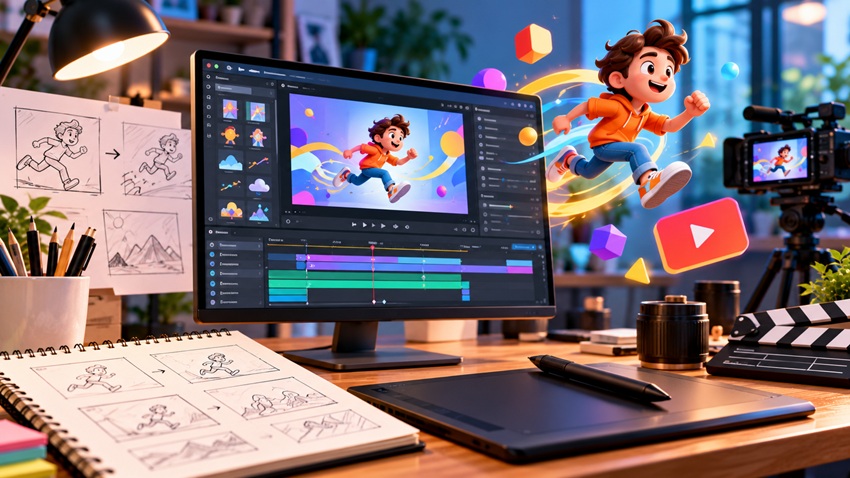
Motion graphics — animated graphic design that brings logos, type, data, and illustrations to life — captivate because the human eye is wired for movement: a well-timed animation stops the scroll, explains in seconds what paragraphs can't, and makes a brand feel alive. In 2026, motion is everywhere a brand lives: social ads, explainer videos, website micro-interactions, logo stings, and product demos. Here's how motion graphics work, the principles that make them feel "magical," and the workflow to create your own.
Motion Graphics vs. Animation: A Quick Distinction
All motion graphics are animation, but not vice versa. Animation broadly includes character storytelling (films, cartoons); motion graphics animate design elements — logos, typography, icons, charts, shapes — usually in service of communication rather than narrative. A character with a story arc is animation; your logo assembling itself, a statistic counting up, or kinetic type delivering a tagline is motion graphics. (Character work has its own craft — covered in character design: bringing your ideas to life.)
Why Motion Converts
- Attention is biological: peripheral-motion detection makes animated content measurably harder to scroll past than static
- Compression of meaning: a 15-second animated explainer communicates a process that would take 200 words
- Emotion through timing: easing, rhythm, and sound make information feel — delight, urgency, trust
- Brand memory: a signature motion style (how your elements enter, move, and exit) is as ownable as a color palette
- Platform economics: video and motion posts earn more reach and engagement than statics across every major feed
The Principles That Make Motion Feel Magical
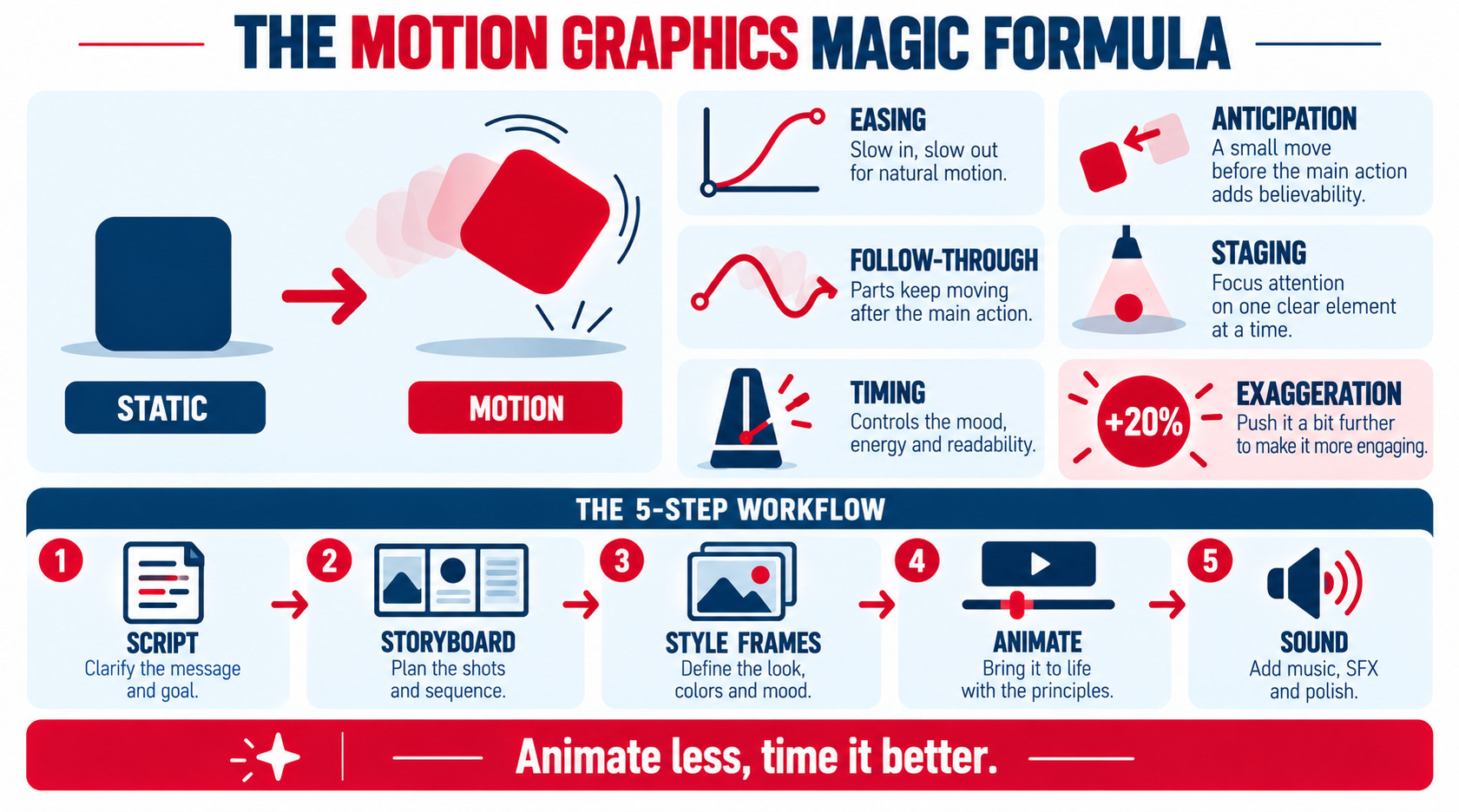
Disney's twelve principles of animation, adapted for graphics, separate smooth professional motion from sliding clip-art:
| Principle | In Motion Graphics | Effect |
|---|---|---|
| Easing (slow in/out) | Nothing moves linearly — accelerate and decelerate | Natural, physical feel |
| Anticipation | Tiny pull-back before the main move | Movement reads clearly |
| Follow-through & overlap | Elements settle with slight overshoot; parts move at offset times | Organic, alive |
| Squash & stretch | Subtle deformation on impacts/bounces | Energy and weight |
| Staging | One focal motion at a time | Clarity — the eye knows where to look |
| Timing & rhythm | Fast = energetic, slow = elegant; vary pace | Emotional tone |
| Secondary action | Small supporting movements (particles, shadows) | Richness without noise |
| Exaggeration | Push key moves ~20% past realistic | Reads at small sizes and fast speeds |
Two production rules sit on top: every animation needs a purpose (guide attention, explain, reward — never decoration for its own sake), and less is more — the most elegant motion graphics animate few elements with precise timing rather than everything at once.
The Professional Workflow
- Script/message first: one sentence of what the viewer must understand or feel
- Storyboard: rough frames of key moments — cheap to change here, expensive later
- Style frames: fully designed stills establishing look, palette, and type before any movement
- Design assets in vectors: build in Illustrator/Figma with every layer that moves separated
- Animate: block major movements → refine easing and offsets → add secondary action
- Sound design: music bed plus whooshes/ticks synced to key moves — sound is half the perceived quality
- Render per platform: 9:16, 1:1, and 16:9 crops; captions burned in for muted feeds
Tools for Every Level in 2026
| Tool | Level | Best For |
|---|---|---|
| Canva / CapCut | Beginner | Social motion posts, quick text animation |
| Figma + plugins | Beginner–mid | UI motion mockups, simple loops |
| After Effects | Professional standard | Everything — the industry workhorse |
| Cavalry | Mid–pro | Procedural, data-driven motion |
| Blender | Pro | 3D motion graphics (free) |
| Lottie/Rive | Developer handoff | Lightweight web/app animations |
AI assist has entered the pipeline — generating style frames, in-betweening, and voiceovers — but the craft that reads as "premium" remains human timing and purposeful staging. For web work, export Lottie/Rive instead of video where possible: tiny files, crisp at any size, and performance-friendly.
Where Brands Get the Most From Motion
- Logo stings: a 2–4 second animated logo for video intros/outros — the gateway motion asset, covered in animated logos: adding motion to your brand identity
- Social ads and posts: animated statistics, kinetic type quotes, product feature callouts
- Explainers: the 60–90 second "how it works" video that sales teams reuse for years
- Website micro-interactions: hover states, scroll reveals, loading moments — small motion, big perceived quality (respect
prefers-reduced-motion) - Video storytelling overlays: lower thirds, transitions, and data visuals that elevate ordinary footage — the broader craft is in video graphics: enhancing visual storytelling
- 3D flourishes: depth and realism for premium launches — the pipeline continues in 3D rendering: bringing your designs to life
Define a brand motion language once — how elements enter (fade up + 10% overshoot?), signature easing curves, speed ranges — and every piece of motion reinforces recognition instead of resetting it.
Common Motion Graphics Mistakes
- Linear movement everywhere (the #1 amateur tell — ease everything)
- Animating every element at once; no staging, no focal point
- Motion without message — decoration that delays comprehension
- Ignoring sound design
- One 16:9 render pushed to vertical feeds
- Loops that visibly "jump" instead of cycling seamlessly
Key Takeaways
- Motion graphics animate design to communicate — attention, explanation, and brand feel in seconds.
- The magic is timing: easing, anticipation, follow-through, and staging one focal move at a time.
- Workflow discipline (script → storyboard → style frames → animate → sound) beats tool mastery.
- Build a brand motion language so every animation compounds recognition.
- Animate less, time it better, and always render per platform with captions.
Frequently Asked Questions
What are motion graphics?
Motion graphics are animated graphic-design elements — logos, typography, icons, shapes, and data visuals — brought to life with movement, usually to communicate a message rather than tell a character-driven story. Think animated explainers, logo stings, kinetic type, and UI micro-interactions.
What's the difference between motion graphics and animation?
Animation is the umbrella term and includes character and narrative work; motion graphics specifically animate design elements in service of communication. A cartoon short is animation; your statistics counting up in a social ad is motion graphics.
What software is best for motion graphics?
Adobe After Effects remains the professional standard for virtually all 2D motion work, with Cavalry rising for procedural design and Blender covering 3D free. Beginners get real results from Canva and CapCut; web and app animations ship best as Lottie or Rive files.
How much do motion graphics cost?
Simple animated logos run roughly $300–$1,500; social motion packages $500–$3,000; professional 60–90-second explainer videos typically $3,000–$15,000+ depending on style and sound design. Reusable assets — logo stings, templates, motion languages — amortize best.
Why do motion graphics improve engagement?
Human vision prioritizes movement, so animated content interrupts scrolling reflexively. Motion also compresses explanation — processes and data become instantly legible — and well-timed easing creates emotional tone static design can't, which together lift watch time, comprehension, and recall.
Ready to put your brand in motion? AiScope Digital's logo and visual identity design services include animated logos, social motion packages, and explainer production — start the conversation today.